Case Study
Levelet
Social habit tracker — mobile app UX case study
Project overview
- This is a personal project completed during the Google UX Design course.
- I've used habit trackers myself, but something always felt missing to sustain my motivation.
- For this project, I wanted to address the question: "How do users stay motivated and have fun while making habit changes?"
My role: UX researcher and designer
Tools used: Figma, Claude Code
Research goals
- Identify the pain points people experience when using habit trackers.
- Understand the goals and motivations that sustain new habit changes.
- Investigate the potential benefits and drawbacks of competition and/or social engagement with others when habit-building.
Methodology
- Competitive analysis: to understand the current market of digital habit trackers, what market gaps exist, and what current users are experiencing.
- User interviews and empathy mapping: to understand users' needs and pain points.
- Usability testing: to evaluate usability of prototypes.
Competitive analysis
- Habitshare: dull visual design. Fewer customization options (e.g., how much water or how many steps). Not gamified.
- Habitica: gamified, but many bugs. Quests are not clear. Confusing UI (e.g., where do you add friends? What are your "goals"?).
- Finch: self-care focus tracker app. Can add custom goals, but only yes vs. no completion. Cute characters with adventures. Less focus on habits specifically. No competitive mode.
Participants
Participant N
Digital & paper habit trackers
Participant K
Digital habit tracker
Participant L
Digital & paper habit trackers
User interviews
Example interview questions
- What motivated you to use a habit tracker in the past?
- Were there times where you stopped using the tracker? What made you stop?
- What did you like about having a habit tracker?
- How do your friends or family play a role in your habit goals?
- When playing games with friends and family, do competitive or cooperative modes feel more fun for you? Why?
- Looking back on times you've implemented a habit change in your life, how did you identify the change? What were your thoughts and feelings when you recognized your success?
Example empathy map
Says
- "Whenever things get more hectic in other areas of my life, I lose motivation to keep up with my tracking."
- "I like visually seeing the progress I make when using a tracker."
- "A shared tracker makes the experience of achieving my goals more enjoyable through friendly competition."
- "When I reap benefits in other areas of my life through lifestyle changes, it motivates me to keep going and makes me feel proud of the progress I have made."
Thinks
- Having visuals when tracking progress helps them feel motivated
- Likes competitive modes more because it pushes them to do better, but co-op modes are nice too for group bonding
- Successful habit changes have a cascading effect on other areas of life and encourage a positive feedback loop
Does
- Wants to build a healthier lifestyle
- Wants to wake up earlier
- Wants to be more mindful with their diet
- Trying to walk more as a form of exercise; struggled to be consistent with exercise in the past
- Using a digital tracker to track daily steps
Feels
- Frustrated because the app doesn't let you manually enter steps
- Motivated and also pressured when friends and family are aware of their goals
- Proud of their progress when they notice lifestyle changes
- Shame when unsuccessful in changing a habit
User persona
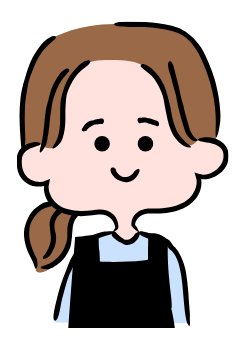
Natalie
- Currently in graduate school with a busy, packed schedule
- Has trouble finding time to meet personal goals outside of school — including exercise, hobbies, and building relationships
- Has used digital habit trackers before but always fell off track with her goals
Problem statement for design
Natalie is a 25-year-old graduate student in Toronto who wants a better balance between school and other areas of her life. As a busy full-time student, she wants to find a way to commit to her exercise and hobby goals. She needs an app that helps her track her daily habits and feels fun and exciting, so that it keeps her motivated and engaged.
Low-fi wireframes
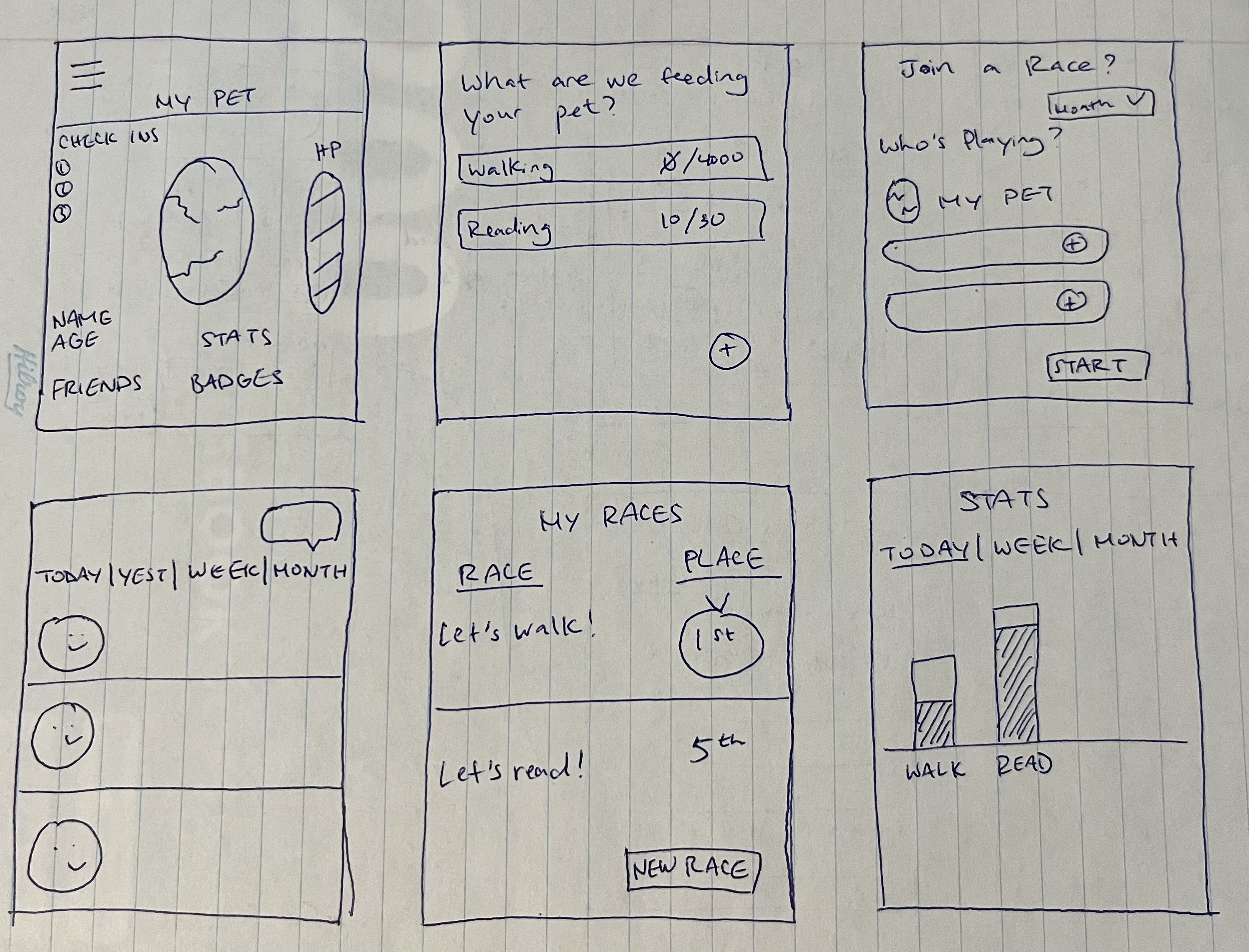
Handwritten wireframes — first ideation
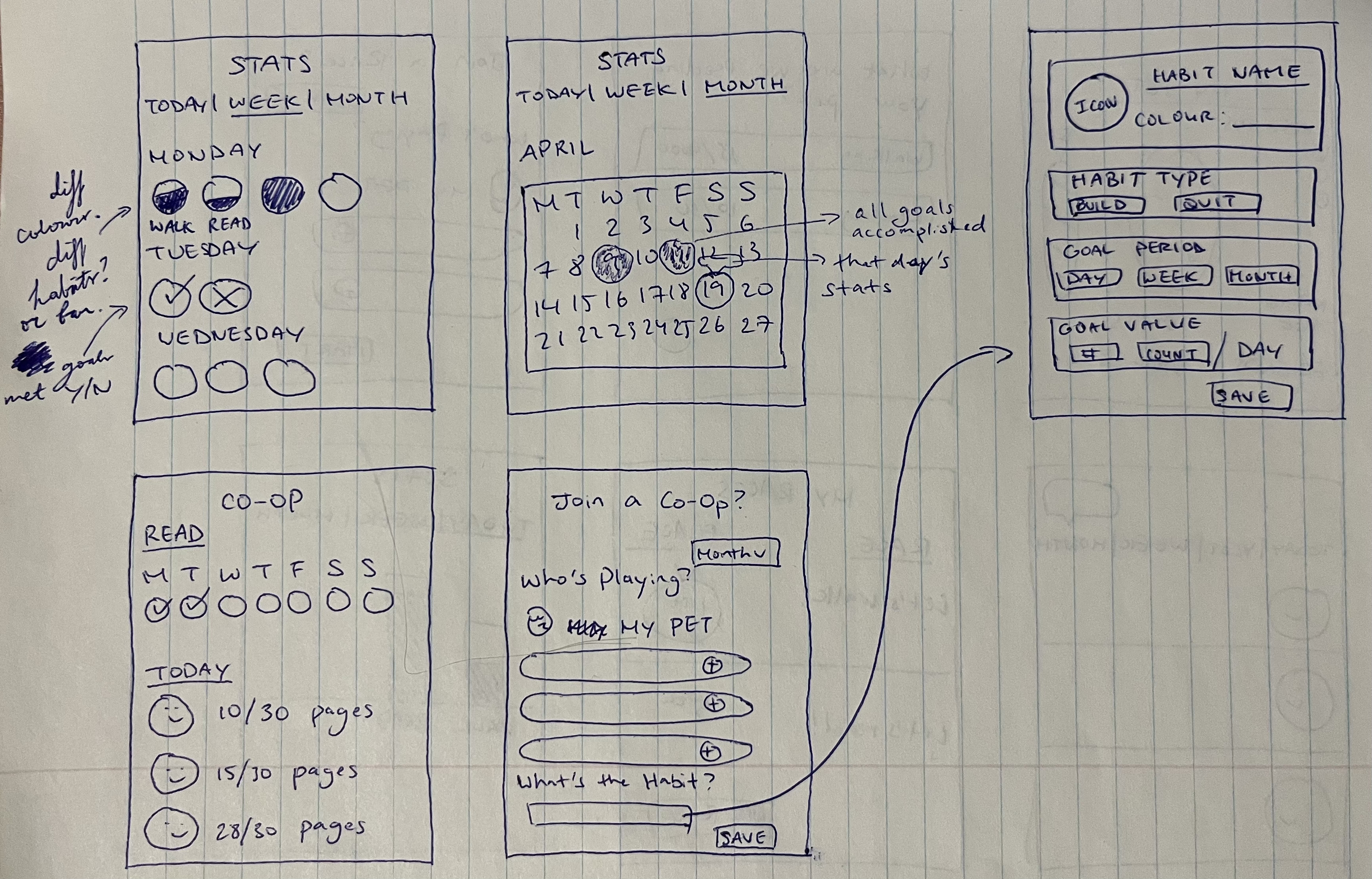
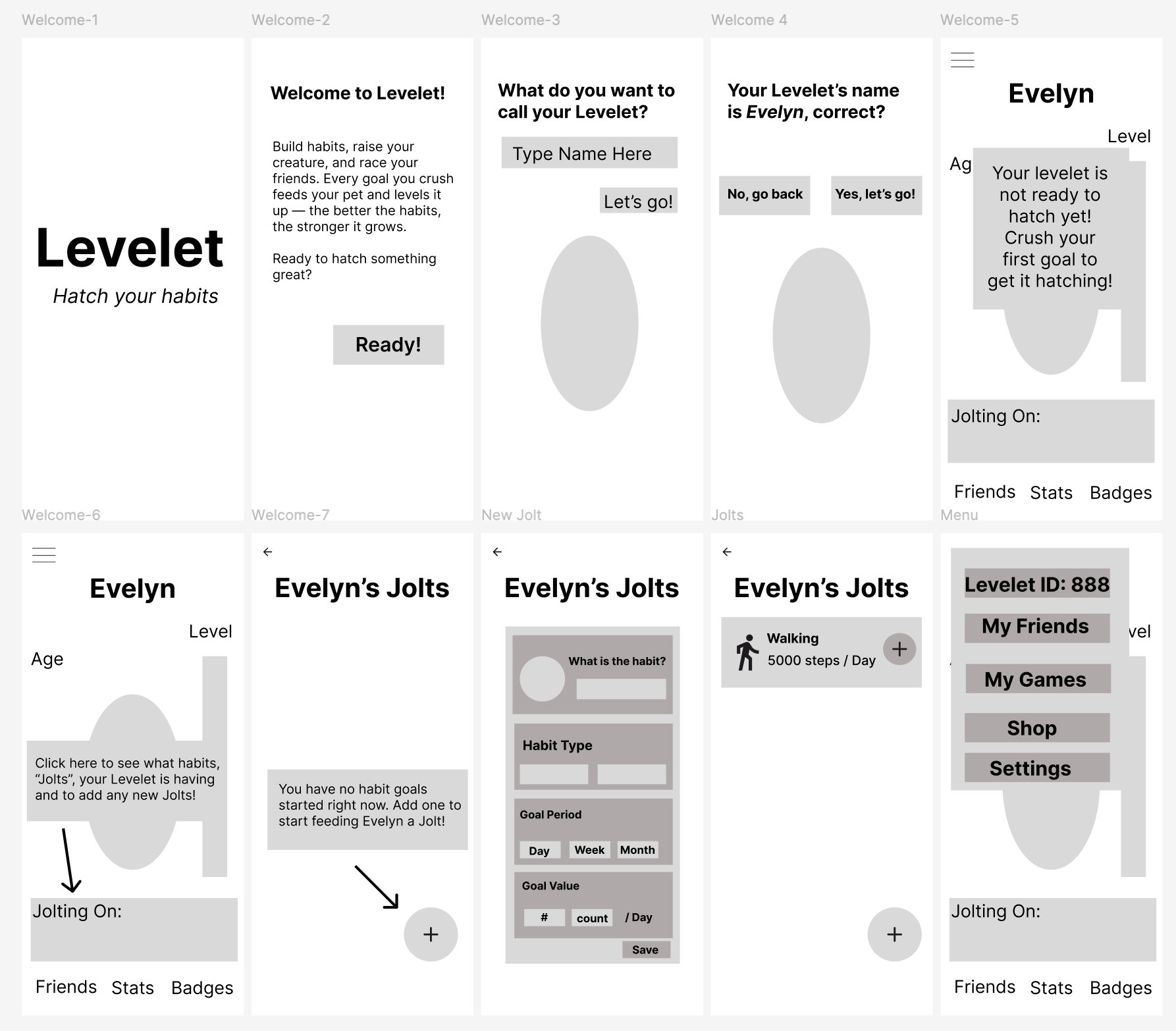
Welcome flow and core screens in Figma
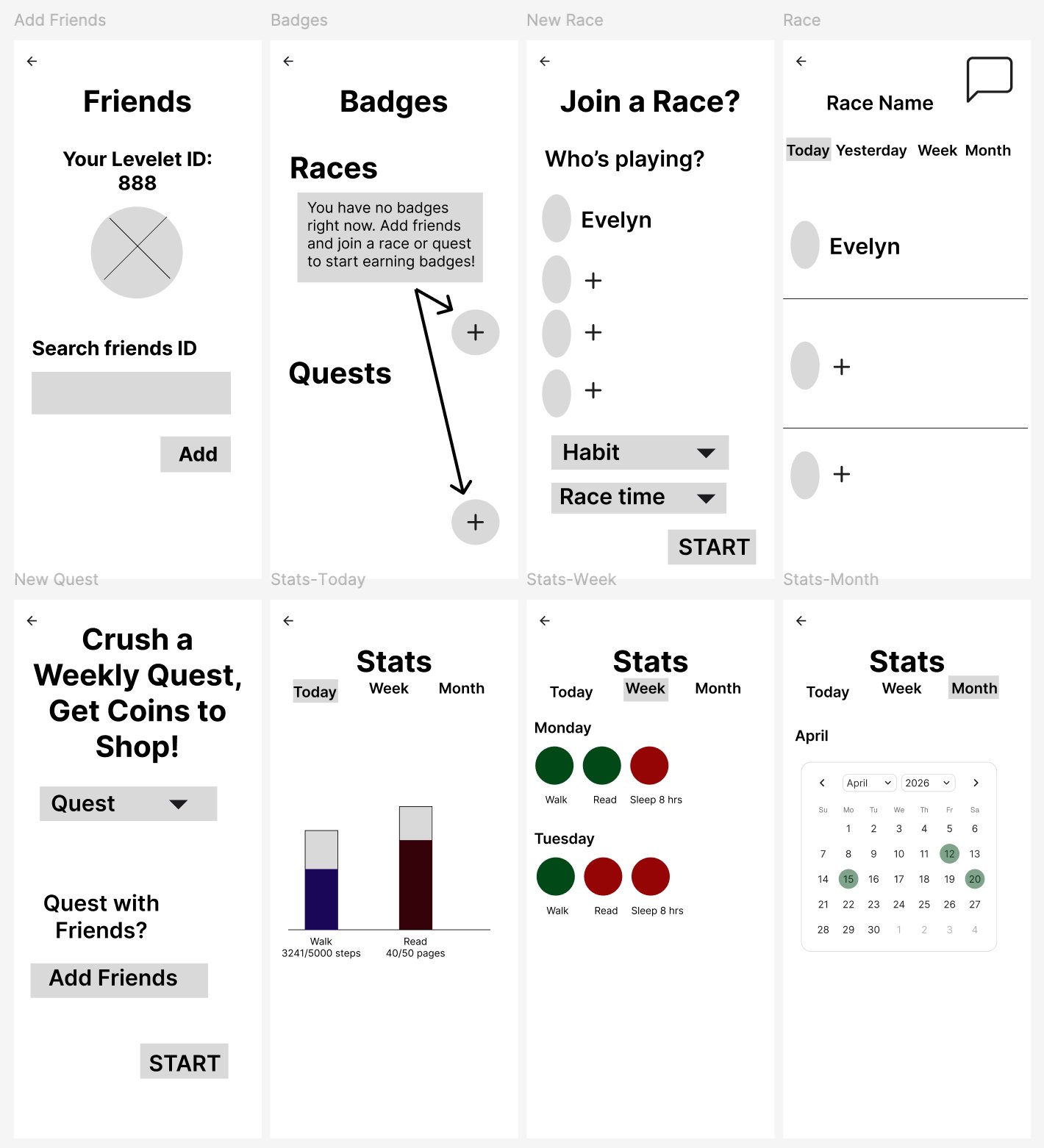
Low-fi usability testing
- Moderated usability studies via video call or in person
- User feedback:
- Users really liked the gamification of habit tracking and the app's use of a virtual pet to motivate them. They were excited by the idea of racing with friends.
- Users pointed out there's no option to create a race name on the New Race page.
- Users also noted that a drop-down menu to choose the race time on the New Race page would not be as effective as letting them customise their own start and end times.
- The intro instructions said to add friends before joining any races or quests, but the New Quest page asks users if they want to do the quest with friends. This was confusing, because it raised the question of whether you can do a weekly quest solo.
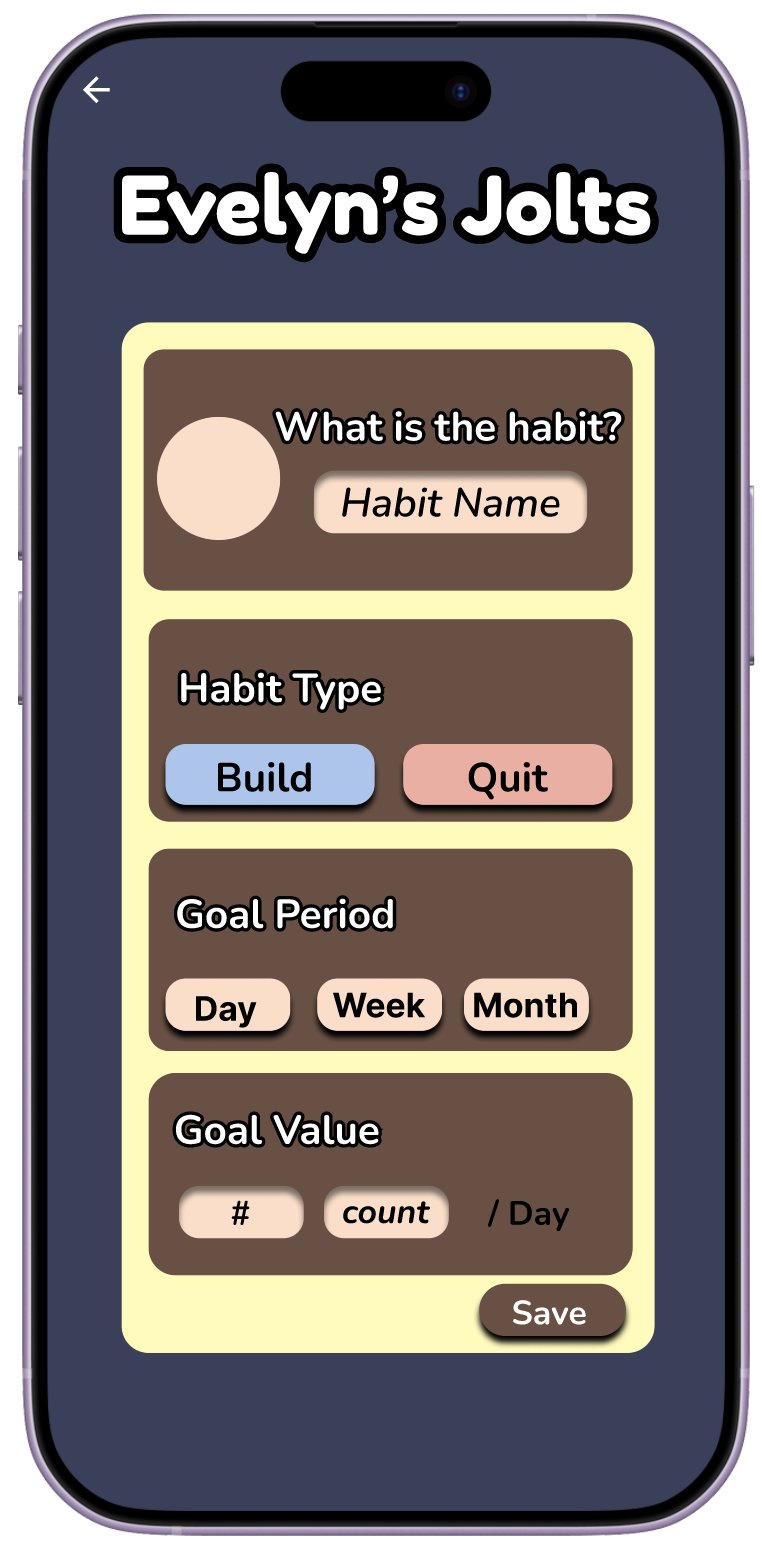
- Overall flow went smoothly. Users navigated to the appropriate pages and moved back and forth without guidance, and said the flow made sense to them. Since they couldn't input actual text or values, I instructed them where to click to move forward — for example, clicking "Save" on the New Jolt page to see the list of jolts with a sample walking goal.
High-fi design
I created a sticker sheet to keep all my visual design choices consistent. This includes the typography, colour palette, buttons, and the Levelet characters I drew.
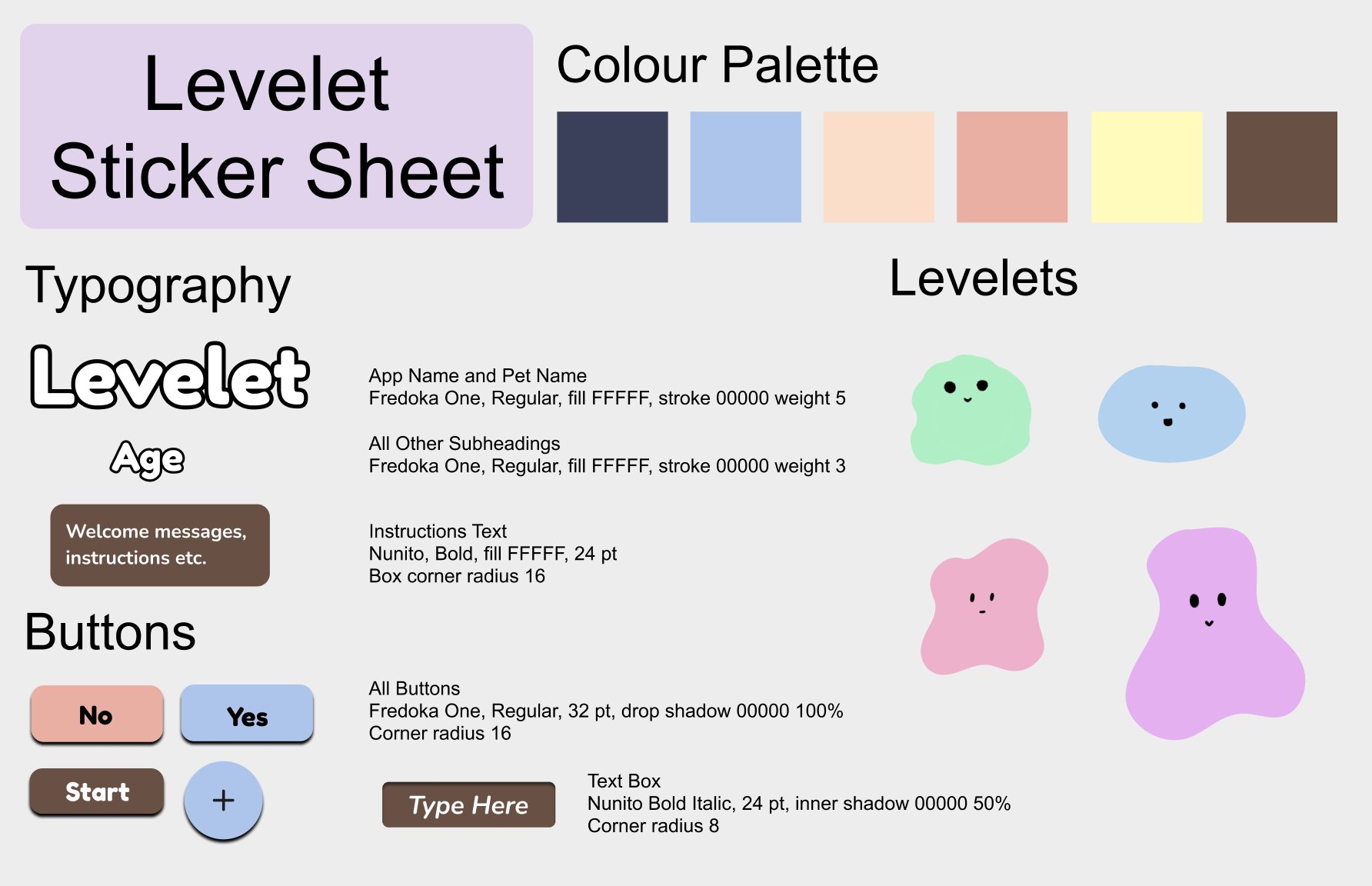
Levelet sticker sheet — visual design system
High-fidelity screens
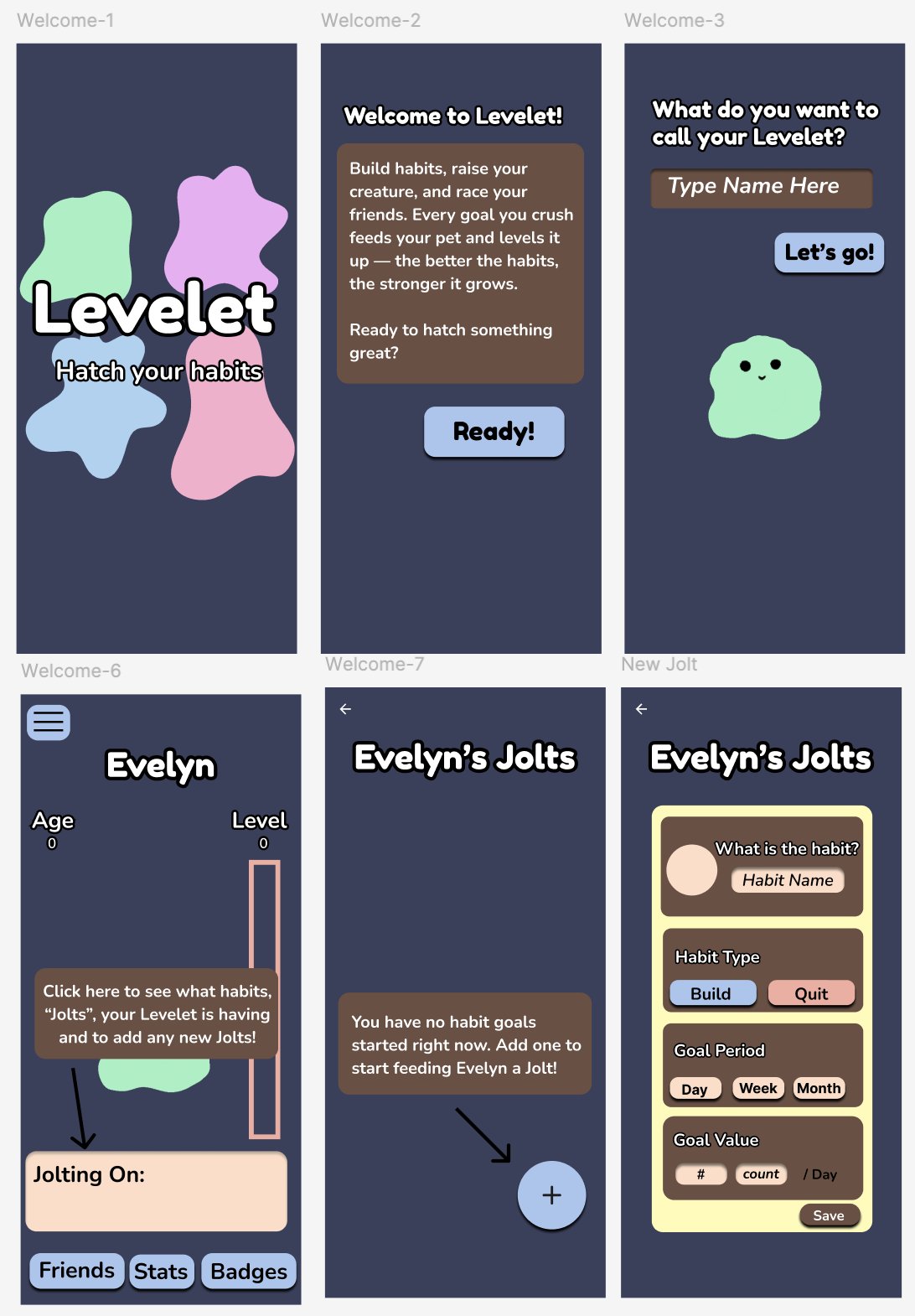
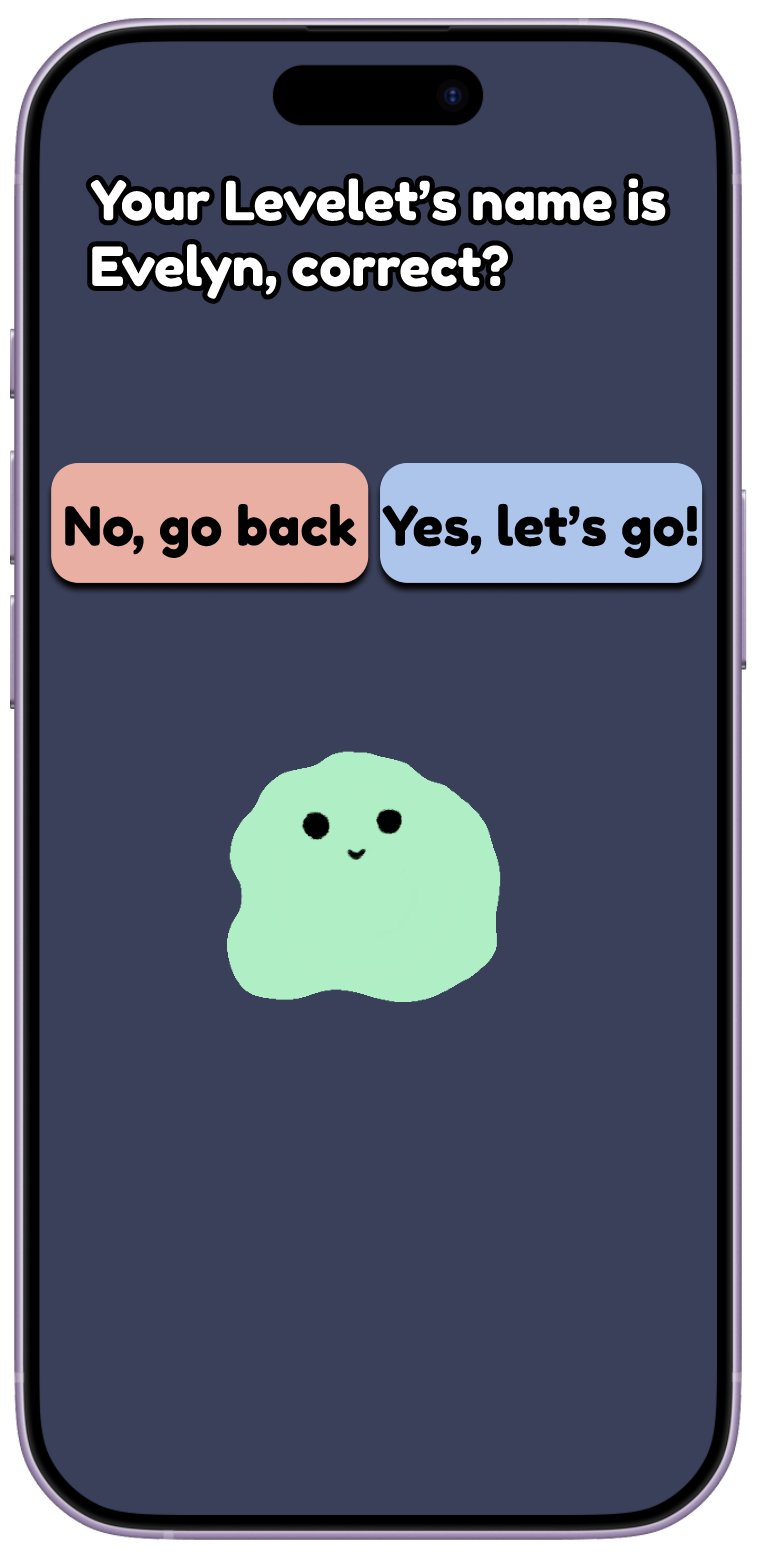
Welcome flow and creating a habit
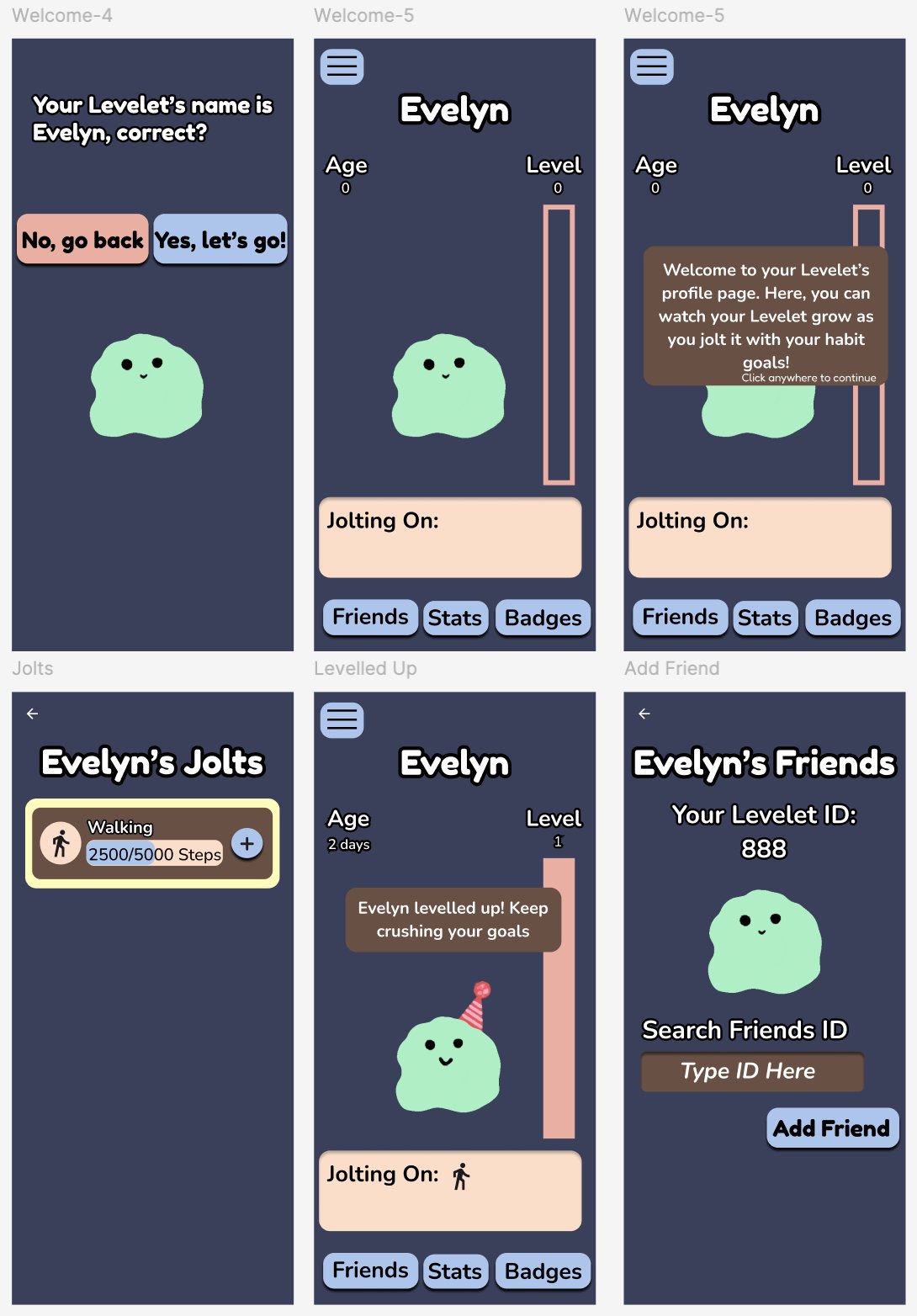
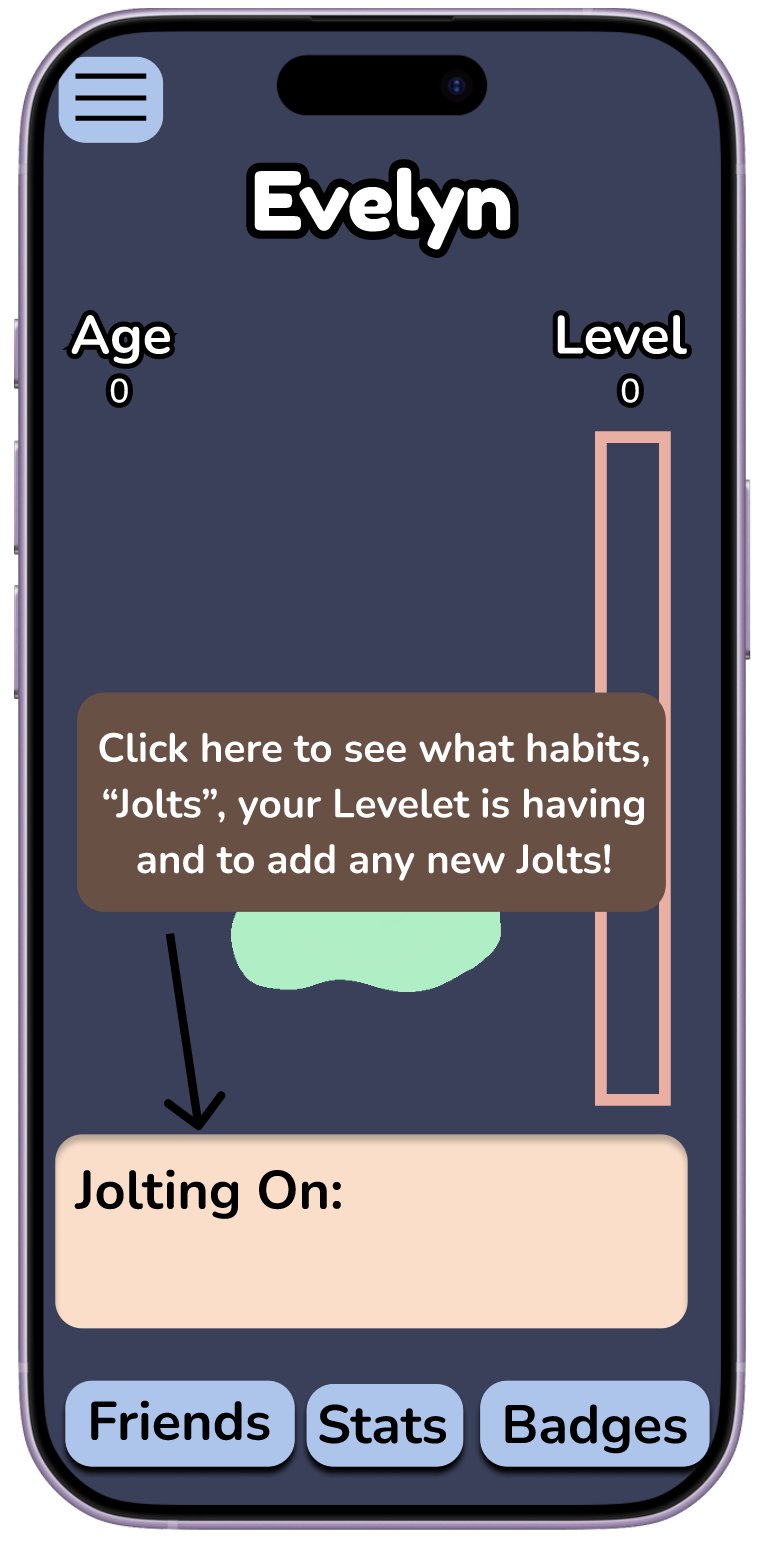
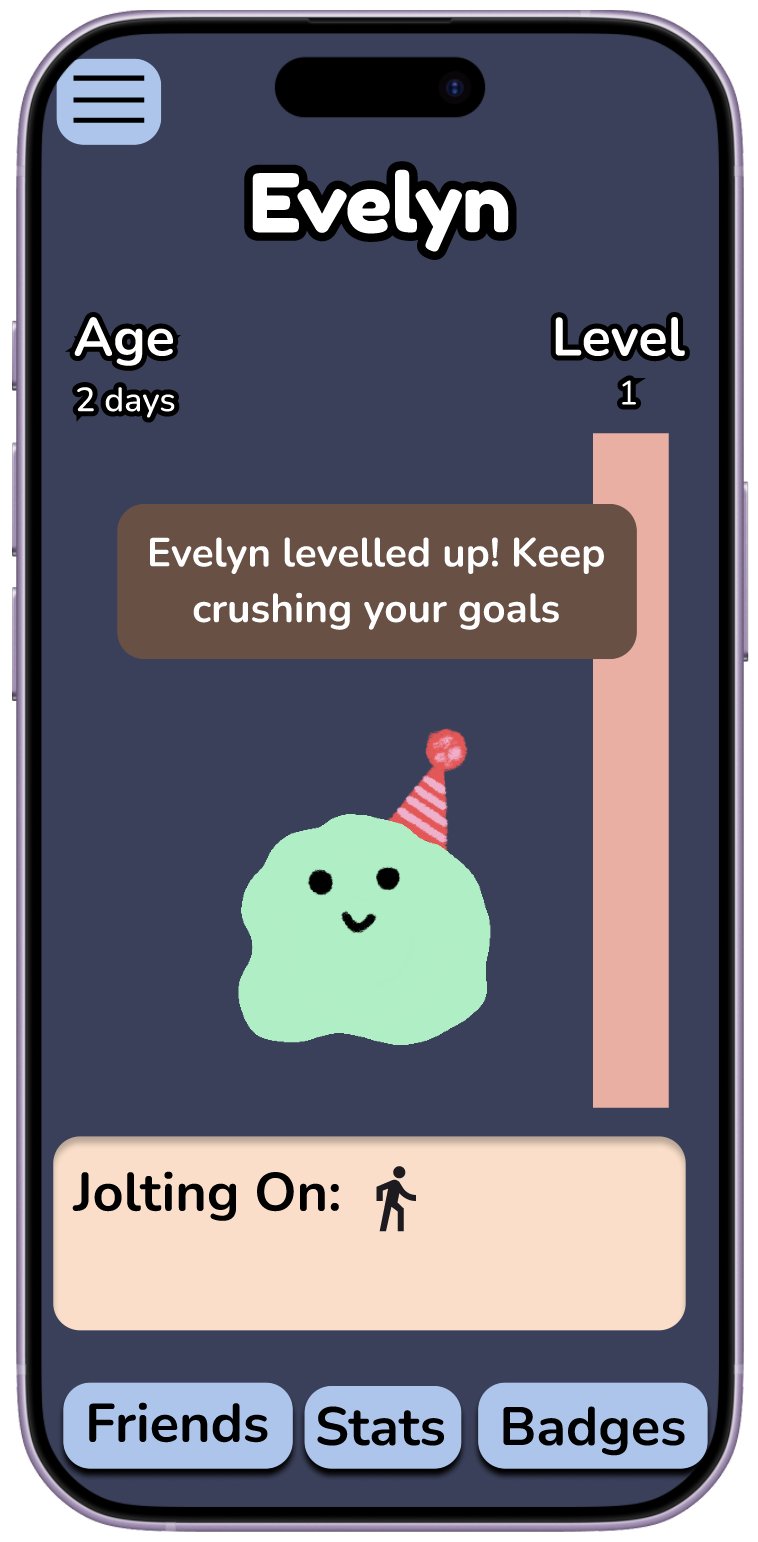
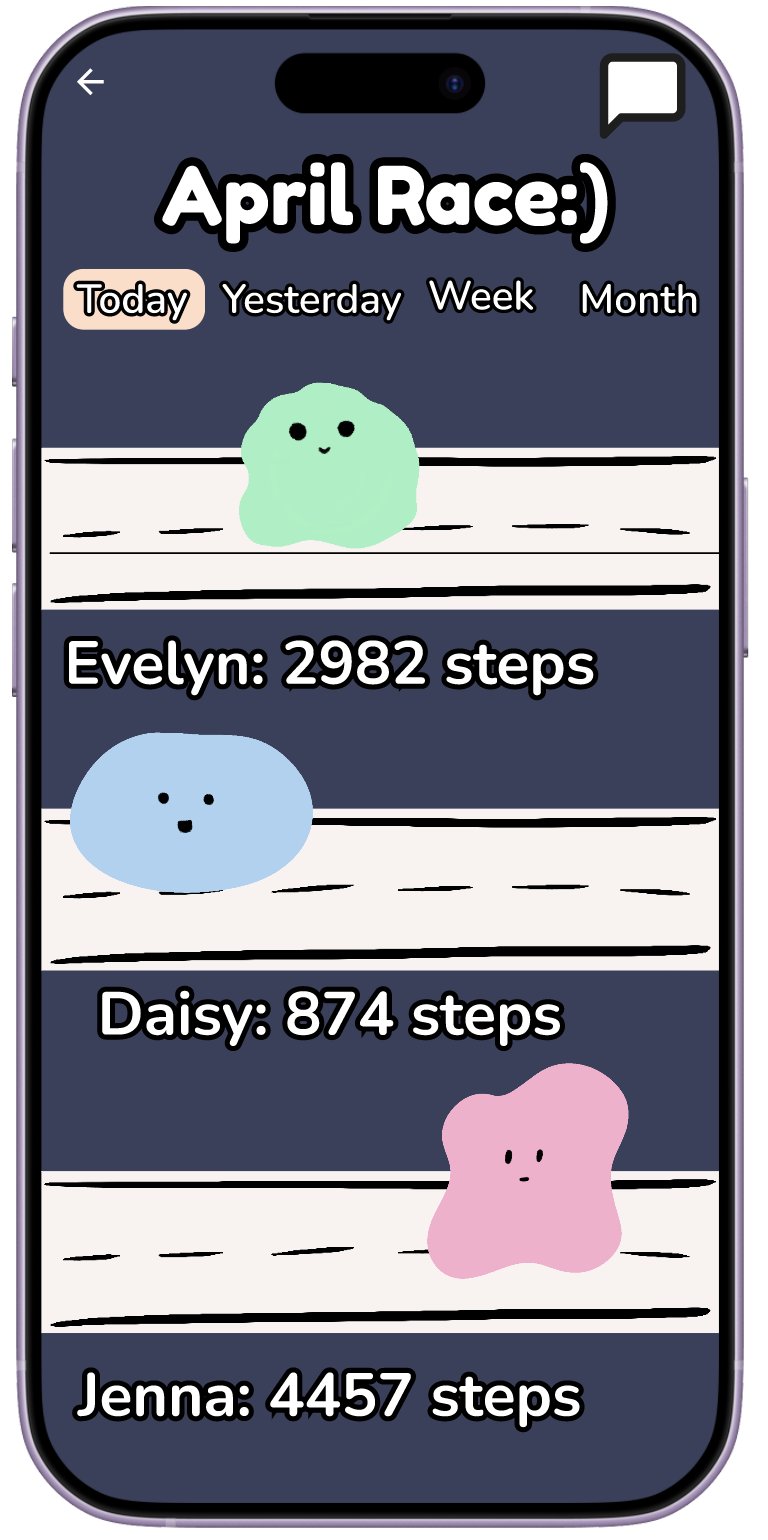
Profile, jolts, levelling up, and friends
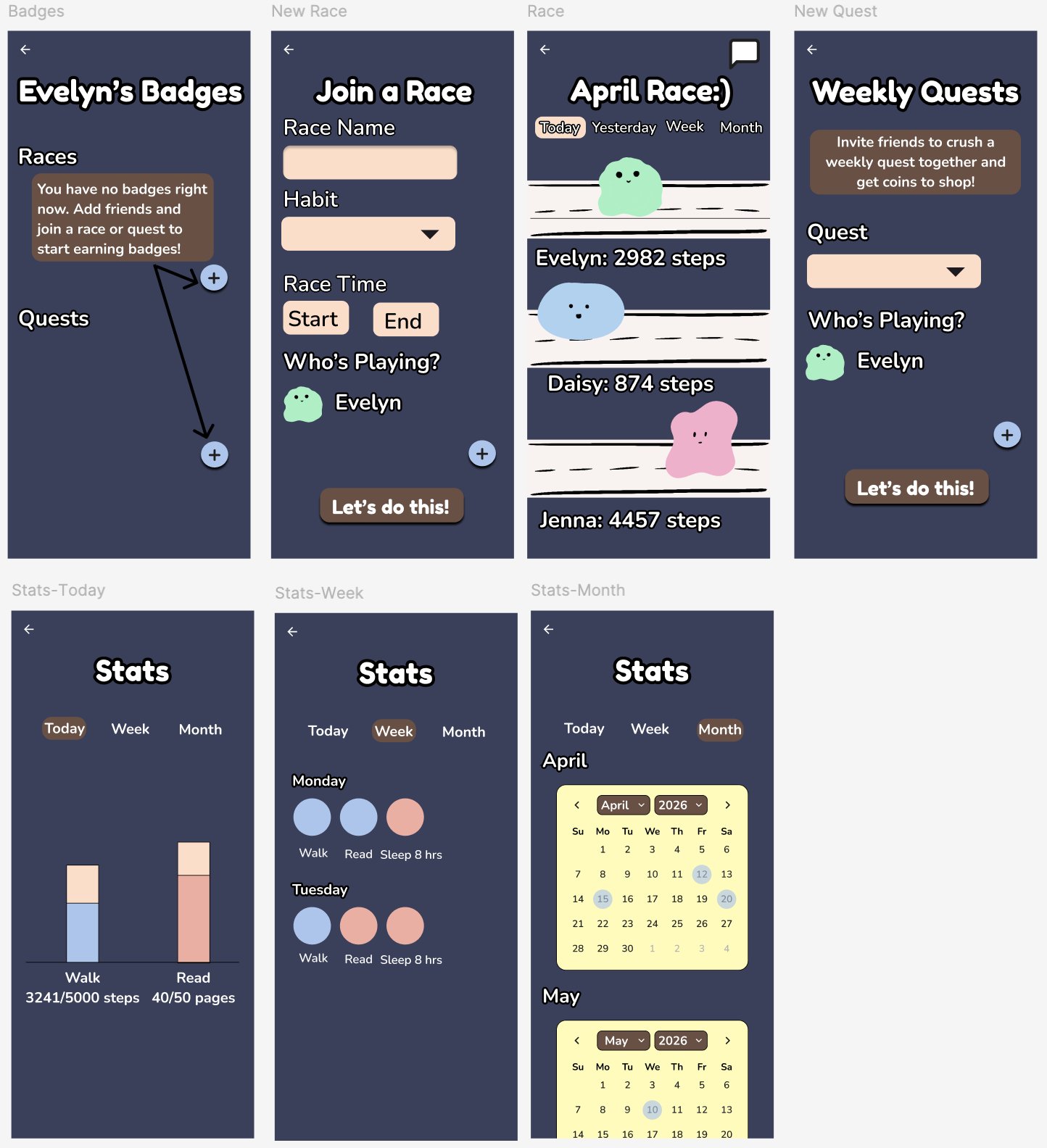
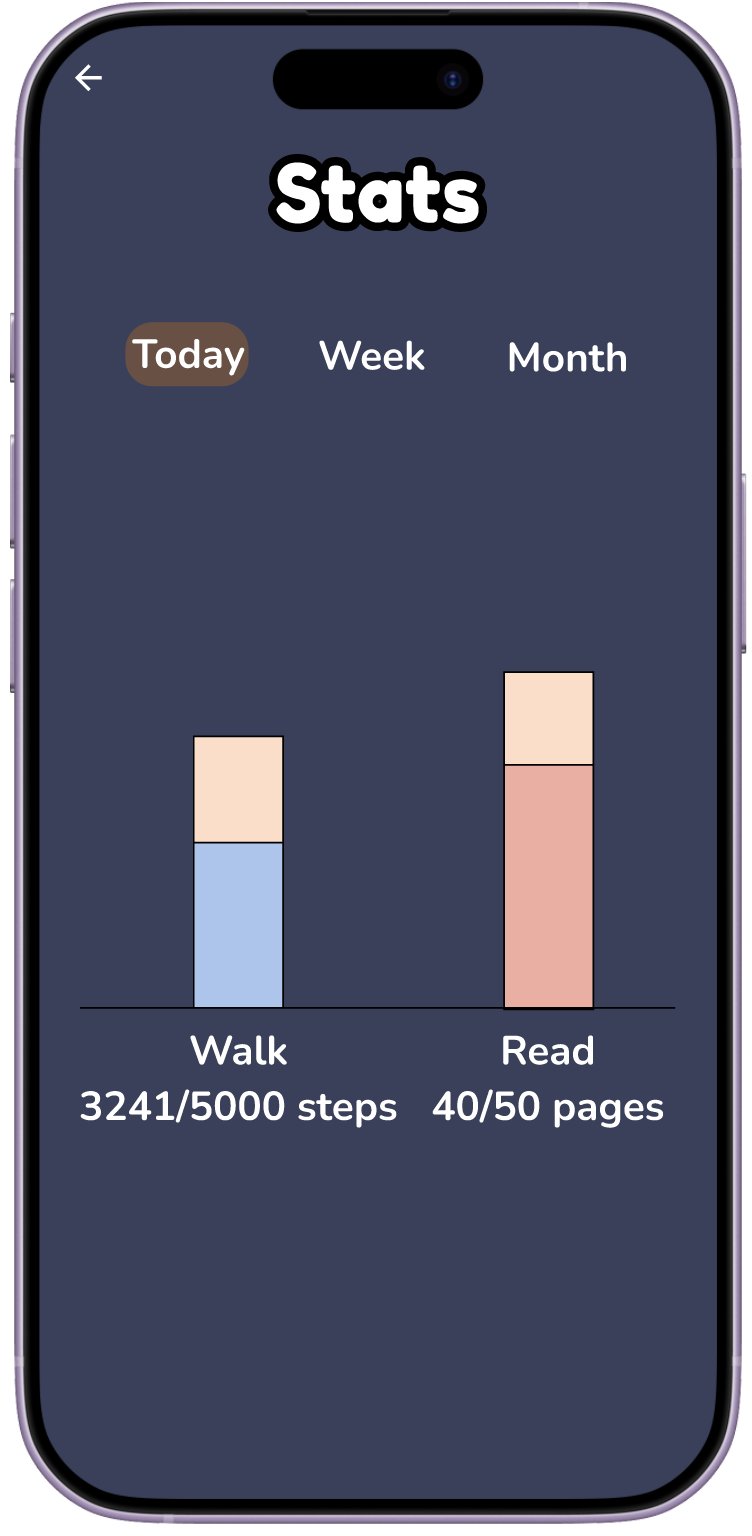
Badges, races, quests, and stats
Changes from low-fi wireframes
- The quest page now makes it clear that quests must be done with friends.
- Jolts listed on the Jolts page now include a progress bar.
- The Levelet starts as a creature already — not as an egg. I think this makes it more interesting from the get-go.
- Added a screen showing the Levelet level up.
Reflections & next steps
- A very fun first personal project! As an experienced researcher, I enjoyed seeing how research can be applied to a digital product. It was also very rewarding to design the app from start to finish and experience the entire product lifecycle.
- Another usability study with the high-fi prototype would be beneficial. Users can provide feedback on specific design elements and test out multiplayer functions with races and quests.
- I am currently working on vibe-coding Levelet with Claude Code! Stay tuned for the final product.